 RoomDisk
Security and privacy, plainly
RoomDisk has no server that sees your files. Here’s exactly what protects them, and the honest limits.
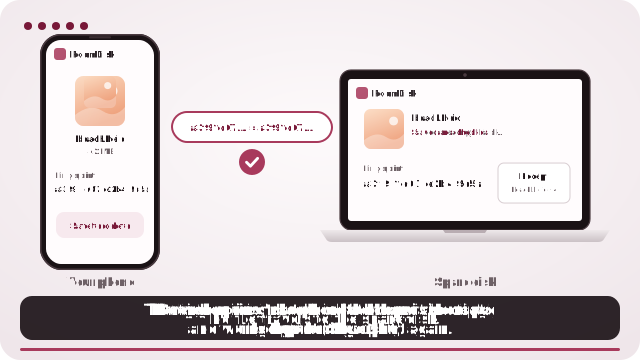
What protects your files
- Direct and encrypted. Files travel over WebRTC, which always encrypts (DTLS). On the same network only local addresses are used.
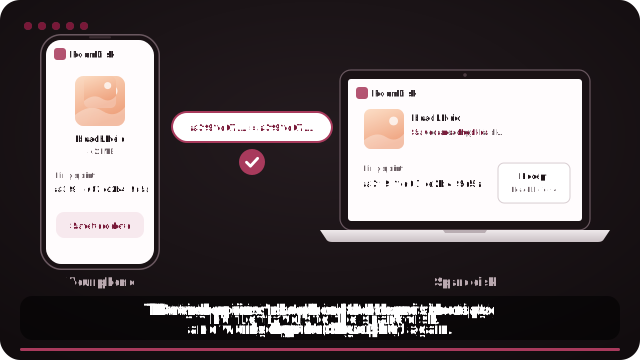
- No one in the middle. Pairing codes are single-use, expire in two minutes and carry each device’s certificate fingerprint. They pass face to face, from one screen to the other’s camera (or through a share you send yourself), and the encrypted handshake checks each device against its fingerprint, so a device in between can’t pretend to be either one.
- New devices are allowed, not assumed. Scanning a code starts a connection; the first time a device connects, the disk asks you to Allow it before it can see, open or change anything. Each device keeps one certificate, so an allowed device is recognised by the encrypted handshake itself. Only allowed devices can change files or connect remotely, and Remove under Devices disconnects one at once.
- Bulk-change alarm. If a connected device deletes, moves or renames many files within a minute, the disk pauses and asks you first, and deleted files stay in Recently deleted for 30 days.
- Every file checked. SHA-256 on the sender, again on the disk after writing. Receipts list every fingerprint so you can check them yourself.
- Password protection (optional). Set a password in the disk’s Settings and every file is encrypted on that device (AES-256-GCM, in 64 KB pieces). The password is never stored or sent anywhere else: PBKDF2-SHA256 with 600,000 rounds turns it into the key that unlocks the disk’s own key. The disk asks for it when it opens, and every other device, nearby or over Anywhere, must enter it before it can see, open, download or change files.
- Locked-down pages. A strict Content Security Policy: no third-party scripts or trackers in the app.
RoomDisk Anywhere
To find your disk on another network, two short connection messages go through public Nostr relays, encrypted with a key only your devices hold, and are not stored. Relays and STUN servers (which tell each device its public address) can see your IP address, not your files. Files still go directly between your devices.
Honest limits
- Without a password, files on the disk are normal files: anyone who can use that device can open them. With one, contents and the file list are encrypted, but the stored files’ names are still visible to someone who looks inside the browser’s storage or the disk folder.
- Lose both the password and the recovery key, and nobody (us included) can open those files.
- Clearing a browser’s site data deletes a disk kept inside that browser. On a computer, the folder option keeps ordinary files.
- A remembered device stays trusted until you forget it.
- Plan checks run in the browser. That affects payments, never anyone’s files.
Found a security issue? Email [email protected].
Try it with the two devices you have
Free to start. Nothing to install, no account.