 RoomDisk
Send photos and videos without losing quality
Chat apps usually compress photos and videos so they send quickly, which lowers their resolution and quality. When you’re moving your own photos to another device, you want the original files, unchanged.
How to do it
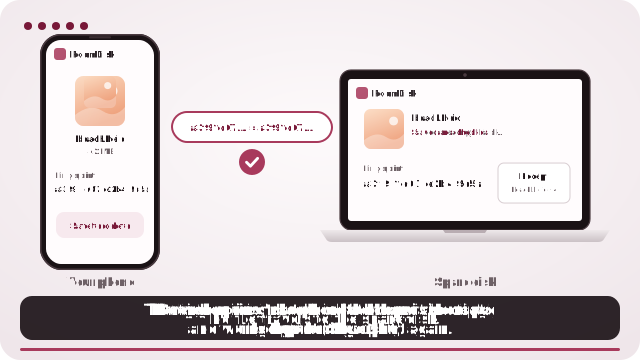
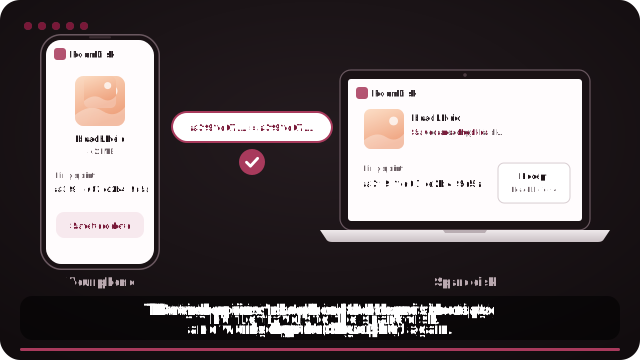
- Open roomdisk.com/app on the device that will keep the files and choose Use this device as the spare disk. It shows a QR code.
- On the phone or computer with the files, scan that code. A phone’s Camera app works: tap the roomdisk.com link that pops up. RoomDisk opens and shows its own code.
- On the spare disk, tap Scan reply and hold the phone’s screen up to its camera. (No camera there? Tap Share reply on the phone and open it on the disk device.)
- Both screens say Connected. Choose files and send. Each file is checked when it lands.
Why people switch to RoomDisk
- Originals, byte for byte. Nothing is resized or recompressed.
- Proof: SHA-256 fingerprints match on both devices.
- No size limit: 4K and 8K video included.
On iPhone, choose “Current” under Options in the photo picker (or pick from Files) so iPhone hands over originals rather than converted copies.
Try it with the two devices you have
Free to start. Nothing to install, no account.